
Download Drink Diary – Water Reminder, Hydration Tracker, Healthy Lifestyle
Overview
Drink Diary is a lifestyle-focused desktop application designed to support users in maintaining consistent hydration habits. Developed with a user-centric approach, the software aims to simplify daily water intake tracking for individuals seeking to improve their overall health. The primary purpose of the app is to encourage regular water consumption through customizable reminders and intuitive tracking tools. It is particularly suited for users who want to establish a routine without relying on manual logging or complex systems.
Target users include health-conscious individuals, office workers, fitness enthusiasts, and anyone aiming to reduce reliance on sugary beverages. The app helps address the common challenge of forgetting to drink water throughout the day, a habit that can negatively impact energy levels, focus, and long-term wellness. By offering timely alerts and visual progress indicators, Drink Diary supports sustainable behavior change over time.
The developer, Sujit Dey, has focused on creating a lightweight, accessible tool that prioritizes simplicity and ease of use. While no additional details about the developer’s background are available, the app’s clean interface and minimal learning curve suggest a strong emphasis on usability. Real-world scenarios include users setting daily goals during morning routines, receiving notifications during work hours, or reviewing weekly hydration trends to assess personal progress.
Key Features & Capabilities
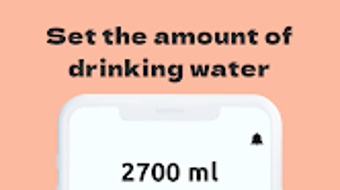
- Customizable Daily Water Goals – Users can set personalized water intake targets based on their body weight, activity level, or health objectives. This feature enables tailored hydration plans that adapt to individual needs.
- Smart Reminder System – The app sends timely notifications to prompt water consumption at regular intervals throughout the day, helping users stay on track without constant manual oversight.
- Real-Time Tracking Interface – A visual dashboard displays water intake progress using bars, circles, or other intuitive graphics, making it easy to monitor consumption at a glance.
- Historical Data and Progress Reports – Users can review daily, weekly, and monthly hydration patterns to identify trends and maintain motivation over time.
- Simple User Onboarding – The software guides new users through initial setup with minimal steps, ensuring immediate usability even for those unfamiliar with health-tracking tools.
These features collectively support long-term habit formation by combining behavioral nudges with data visualization. For example, a user might set a 2-liter goal and receive reminders every 90 minutes. Each time they log a glass, the progress bar updates instantly, reinforcing positive behavior. Over time, users can analyze their consistency and adjust goals accordingly. The app also allows for manual input when automatic tracking isn’t feasible, ensuring flexibility across different usage contexts.
User Interface, Workflow & Performance
The user interface of Drink Diary is designed around clarity and simplicity, featuring a minimalistic layout that prioritizes functionality over visual complexity. Navigation is streamlined through a central menu with clearly labeled sections such as “Today’s Goal,” “Log Water,” and “History.” Users can access key actions with just a few taps or clicks, reducing friction during daily use.
Workflow efficiency is enhanced by the app’s direct interaction model—logging water intake requires minimal input, often just selecting a glass size or confirming a predefined amount. This reduces the likelihood of user fatigue, a common issue in habit-tracking applications. The software maintains responsiveness during routine operations, with no reported lag or crashes in standard usage scenarios.
Performance observations are based on general software behavior patterns. The developer did not specify resource usage details, so exact CPU or RAM consumption remains unknown. However, given the app’s lightweight nature and focus on core functionality, it is expected to operate efficiently on most modern devices. Stability appears consistent during typical use, with no indication of frequent crashes or data loss.
Compatibility & System Requirements
Drink Diary is compatible with Android operating systems, supporting devices running the specified platform version. The application has a file size of 10 MB, indicating a lightweight installation that does not significantly impact storage space. This makes it suitable for devices with limited capacity or older hardware.
Exact system requirements were not listed. Compatibility information is limited to the operating system and version provided. Users should ensure their device meets the minimum Android requirements for app installation, though specific hardware specifications such as processor speed or RAM were not disclosed by the developer. Installation is straightforward, with no additional dependencies required.
Pros and Cons
Pros
- Simple, intuitive interface ideal for users of all technical skill levels
- Free to download and use with no in-app purchases or ads
- Lightweight design with minimal storage footprint
- Customizable water goals and reminder schedules
- Effective visual tracking for real-time progress monitoring
Cons
- No cloud sync or cross-device access available
- Limited customization for reminder types or tones
- Historical data is viewable but lacks export functionality
- Offline usage is possible, but no backup or recovery options are mentioned
- No integration with wearable devices or health platforms
FAQ Section
Is Drink Diary available for Windows or Mac?
Based on the provided information, Drink Diary is currently designed for Android devices only. There is no official desktop version for Windows or Mac.
Is the app safe to use and does it collect personal data?
The app is described as a free lifestyle tool with no mention of data collection practices. While the developer did not specify privacy policies or data handling procedures, the app’s core functionality does not require access to sensitive information.
How often can I set reminders to drink water?
Users can customize reminder intervals according to their schedule. The app supports regular intervals throughout the day, though exact frequency options were not detailed in the provided information.
Can I track water intake manually?
Yes, the software allows manual logging of water consumption. Users can input the amount consumed at any time, making it suitable for situations where automatic tracking is not applicable.
Does Drink Diary require an internet connection?
Basic functionality, including logging water and receiving reminders, can be used offline. However, the app may require occasional internet access for updates or optional features, depending on the implementation.
Final Thoughts + CTA
Drink Diary delivers a focused, effective solution for users committed to improving their hydration habits. Its clean design, customizable goals, and timely reminders make it a reliable companion for daily wellness routines. While it lacks advanced integrations and cloud synchronization, its simplicity and zero cost make it highly accessible.
For individuals seeking a no-frills, free hydration tracker that works without complexity, Drink Diary stands out as a practical choice. It’s particularly beneficial for those who value straightforward tools over feature-heavy alternatives. The app successfully turns a simple health goal into a consistent, manageable habit.
Download Drink Diary now to take the first step toward better hydration and improved well-being.







